GPU COMPARISON · 2026 BUYING GUIDE
RTX 5070 vs RTX 5070 Ti
Buy the RTX 5070 for efficient 1440p. Choose the RTX 5070 Ti when 16 GB, stronger 4K performance or creation workloads justify the premium.
The 30-second decision
| Situation | Starting choice |
|---|---|
| 1440p 144–165 Hz, controlled budget | RTX 5070 |
| Very high-refresh 1440p, ultrawide or heavy RT | RTX 5070 Ti |
| Occasional 4K with tuned settings | RTX 5070 Ti |
| Keeping the card for years with heavy textures | 5070 Ti advantage: 16 GB |
| Already own an RTX 5070 | Do not upgrade without a measured limit |
The 5070 Ti is not merely a 5070 with 4 GB more memory: it belongs to a higher performance and power tier.

GPUStores analysis · Updated September 16, 2026. Advice based on specifications and cited sources; we do not claim GPUStores laboratory testing.
How much more should you pay for the Ti?
In its March 4, 2025 review, The Verge reports roughly 29% higher 4K frame rates for the 5070 Ti. This is a historical reference from that test suite, not a promise for every game or a GPUStores measurement. The Verge ↗
| Hypothetical example (CAD) | Premium | What it means |
|---|---|---|
| 5070 : 800 $ · Ti : 1 000 $ | 25 % | Premium below that review’s 4K gain; check your games. |
| 5070 : 800 $ · Ti : 1 200 $ | 50 % | That review’s average gain alone does not justify the premium. |
These amounts are not offers. Compare delivered totals on the same tax basis. The 16GB capacity can also justify a premium when your workload exceeds 12GB; that memory requirement is separate from an automatic FPS gain.
To check the gap in your games, also consult Tom’s Hardware: rasterization, ray tracing and frame generation are covered separately. Keep each lab’s results separate. Tom’s Hardware ↗
Quick comparison
| Criterion | RTX 5070 | RTX 5070 Ti |
|---|---|---|
| Memory | 12 GB GDDR7 | 16 GB GDDR7 |
| Graphics power | 250 W | 300 W |
| Target | 1440p high refresh | 1440p ultra and entry 4K |
| Strength | Lower platform and purchase cost | More performance and 4 GB more VRAM |
| Watch for | 12 GB is the main long-term limitation | Value depends heavily on the price gap |
Power figures are reference specifications; partner cards can vary.
Which offers better value?
Value depends on the delivered price and the result you want. If the 5070 already reaches your target, the Ti needs to offer something you will use: higher settings, better smoothness in your games or memory capacity essential to your work. The price examples above are a starting point; the checks below help establish whether the premium actually serves you.
12GB or 16GB: start with your settings, not the box
The Ti’s 16GB provides more room for graphics data. It does not automatically make every game faster: the Ti also has a different GPU. Separate two questions: does the 5070 reach your desired smoothness, and does its memory force you to lower a setting you care about?
| Your situation | What to check | Our take |
|---|---|---|
| Competitive games, tuned settings | Base FPS, consistency and CPU limits | Do not pay for 16GB if your bottleneck is elsewhere. |
| Demanding games, high textures, mods | The specific game with your textures and resolution | The Ti’s headroom matters when it avoids a visible compromise. |
| Creation or local AI | Memory required by your scene or model and software | A workload beyond 12GB can justify 16GB; verify that it actually fits that capacity. |
Already own a 5070? Check this before replacing it.
Replay the same scene with identical settings, then lower only textures by one step. Note whether stuttering decreases and whether image quality remains acceptable. If you also compare ray tracing or frame generation, change one option at a time. An improvement is a clue, not proof of memory exhaustion: asset loading, drivers and shader compilation can also affect smoothness.
My take: if lowering one setting fixes the problem and you barely notice the difference, keep your money. If several games force compromises you dislike, then the Ti is worth a closer look. A nearly full memory counter alone would not convince me to recommend replacing your card.
Buy once or replace later: work out the cost
Hypothetical CAD example before tax: you buy a 5070 for $800, sell it for $600 and buy a Ti for $1,000. Total spending is $800 − $600 + $1,000 = $1,200. Buying the Ti initially would have cost $200 less. This illustrates replacement cost; it does not predict future prices or resale value.
The opposite scenario matters just as much: if the 5070 satisfies you throughout its useful life, the initial $200 Ti premium was unnecessary. Keep it in your budget or put it toward a concrete PC need. Do not buy abstract headroom: name the game, setting or workload that will use it.
If you already own the 5070, calculate spending from today: the Ti’s delivered price minus net resale proceeds, plus required fees and accessories. In this example, that means at least $400 now. Compare that amount with the actual problem solved, not what you originally paid.
RTX 5070 and 5070 Ti FAQ
Choose for your actual workload
Choose the 5070 if it meets your target in the games you play and leaves room in the budget for the rest of the PC. Check demanding textures and ray tracing separately: 12GB is a capacity limit, not a promise that every game will struggle.
Tradeoff to accept: 12 GB is the main long-term limitation.
Pay for the Ti when your games benefit from its extra performance or your workload needs more than 12GB. If you already own a 5070, measure the shortfall before paying for another card.
Tradeoff to accept: Value depends heavily on the price gap.
What the specification table does not tell you
At 1080p, the CPU can narrow the gap between two GPUs. At 1440p and especially 4K, graphics load rises. Compare tests using your resolution, settings and similar games.
More memory helps when the workload exceeds available capacity. Architecture, bus and compute resources also determine performance: more VRAM is not automatically faster.
DLSS, FSR and frame generation can improve smoothness, but do not replace a strong base frame rate. Check image quality, latency and support in your games.
Two cards using the same GPU can differ in length, thickness, noise, connector and warranty. The exact model matters more than a tiny factory overclock.
The GPU name does not tell you which card fits your PC
These are specific examples from the catalogue. Match the model number on the listing: two cards with the same GPU can have different coolers and dimensions.
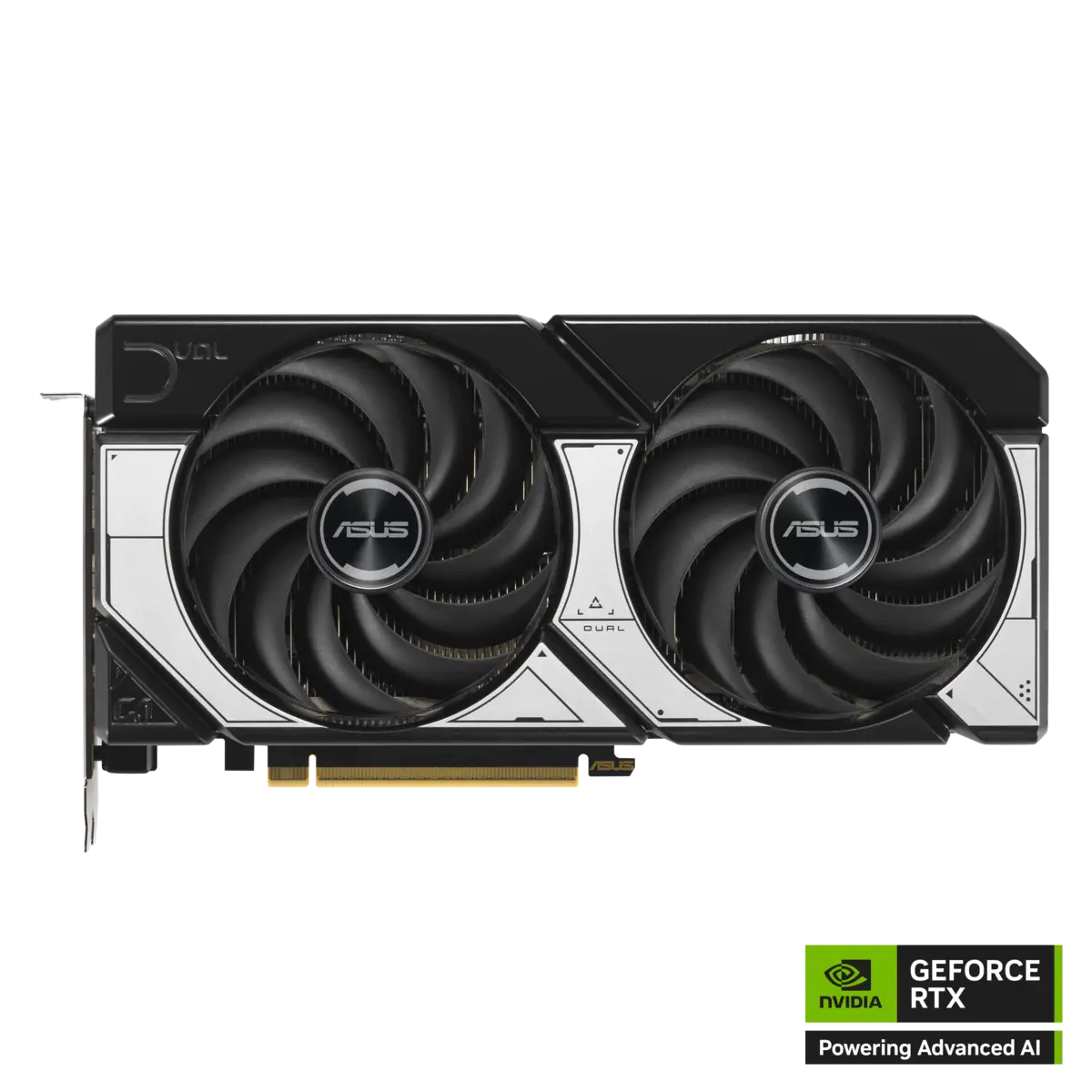
ASUS Dual GeForce RTX 5070 12GB OC
DUAL-RTX5070-O12G
- Published dimensions
- 249 × 126 × 50.6 mm
- Connector
- 1 × 16-pin
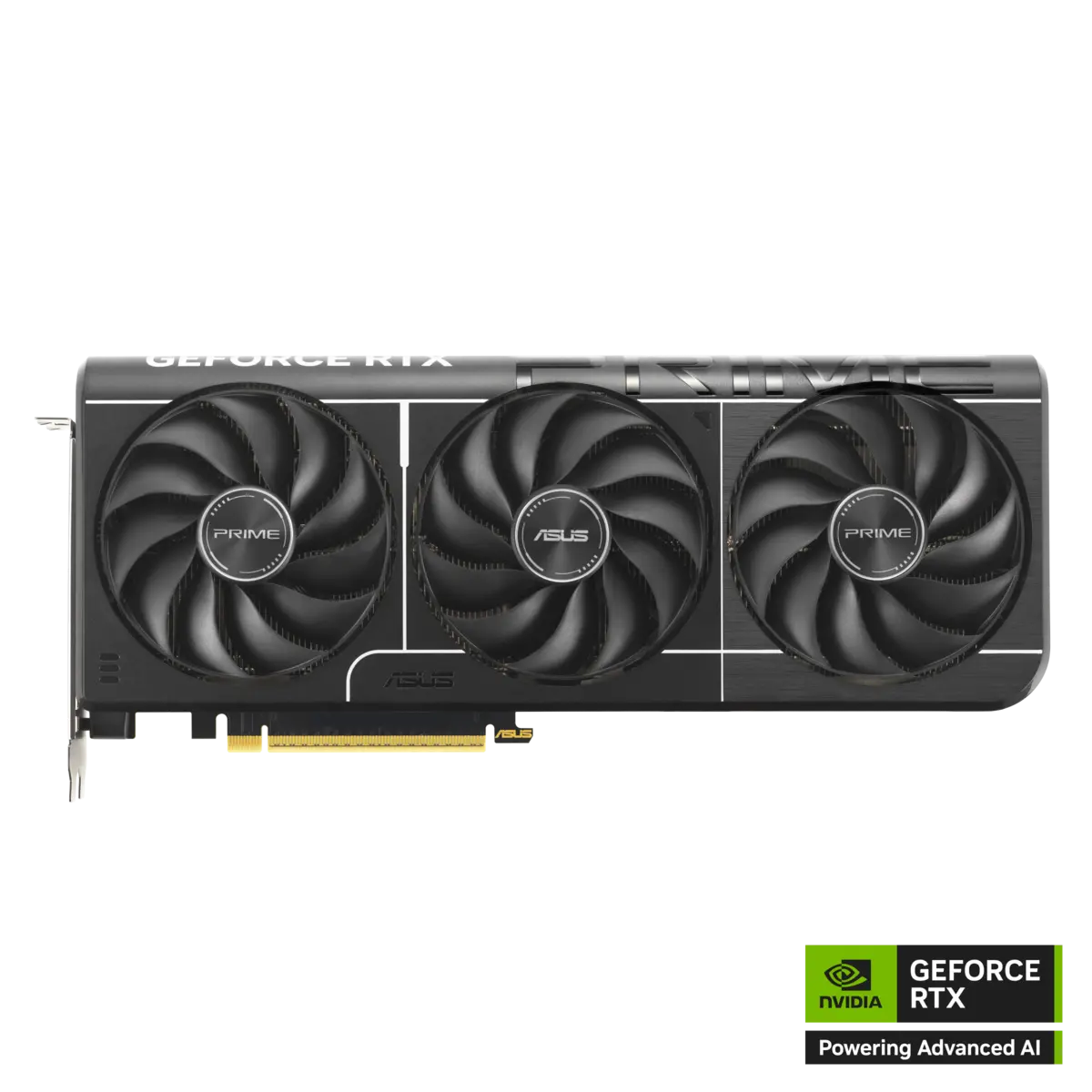
ASUS Prime GeForce RTX 5070 Ti 16GB OC
PRIME-RTX5070TI-O16G
- Published dimensions
- 304 × 126 × 50 mm
- Connector
- 1 × 16-pin
Manufacturer images already used in our catalogue, not GPUStores test photos. Images are not to scale. Review results cited elsewhere are not measurements of these partner models.
Is it a worthwhile upgrade?
A 5070-to-5070 Ti move is rarely worthwhile. The Ti makes more sense as the initial purchase or when upgrading from an older generation.
Total cost before upgrading
If the change also requires a PSU, case or display, add those costs before comparing value. The best GPU on paper can become the weaker purchase for your system.
Questions before buying
Check today’s delivered price
Compare the exact model, dimensions, PSU needs, warranty and return policy before ordering.