GPU COMPARISON · 2026 BUYING GUIDE
RTX 4070 Super vs RTX 5070
Buy the cheaper RTX 4070 Super when the discount is meaningful. Choose the RTX 5070 for a new build when the price gap is modest and current-generation support matters.
GPUStores analysis · Updated September 16, 2026. Advice based on specifications and cited sources; we do not claim GPUStores laboratory testing.
Quick comparison
| Criterion | RTX 4070 Super | RTX 5070 |
|---|---|---|
| Memory | 12 GB GDDR6X | 12 GB GDDR7 |
| Graphics power | 220 W | 250 W |
| Target | Efficient 1440p gaming | Current-generation 1440p |
| Strength | Mature, efficient and potentially discounted | Newer architecture and feature support |
| Watch for | Older feature set and used/clearance conditions | Same 12 GB capacity |
Power figures are reference specifications; partner cards can vary.
Which offers better value?
This comparison is decided more by real street price than branding. Both target 1440p and both carry 12 GB.
Already own a 4070 Super? I would start by keeping it
If your games remain smooth at settings you enjoy, a newer number on the box is not enough reason to spend. Before selling your card, identify the problem: slowdowns in a particular game, a missing feature or a task taking too long. Then find measurements showing that the 5070 solves it. A broad average cannot replace that check.
The Verge, March 4, 2025: without DLSS or ray tracing, the 5070 leads the 4070 Super by 3% at 1440p and 4% at 4K in its suite. Historical references, not guaranteed gains today. The Verge — RTX 5070.
For an independent perspective, ComputerBase’s March 4, 2025 review documents hardware and settings, with upscaling in some games and no frame generation in the general suite. We do not merge results from these different protocols. ComputerBase — RTX 5070.
Buying now: price and condition can change the answer
| Your situation | My starting point | What to verify |
|---|---|---|
| Your installed 4070 Super still meets your needs | Keep it | A concrete benefit before selling |
| Two new cards at similar prices | Consider the 5070 first | Exact model, useful features, noise and warranty |
| A substantially cheaper used 4070 Super | Evaluate the actual saving | Condition, load test, receipt and seller remedies |
| Confirmed need for more than 12GB | Reconsider both options | Memory required by the whole workload |
At similar prices and equivalent terms, I would consider the newer generation first. But I would not pay a large premium for a luxury 5070 if a suitable 4070 Super meets the same need. Cooler, dimensions and seller service are part of the purchase. Old new-stock is not automatically a bargain, and used hardware is not automatically an acceptable risk.
The cost of switching after resale
Hypothetical Canadian-dollar examples before tax. These amounts are neither current offers nor resale forecasts.
| Scenario | Calculation | What you pay |
|---|---|---|
| Replace your card | $850 for a 5070 − $550 net resale | $300 extra, plus applicable taxes and expenses |
| Choose for a new PC | $850 new 5070 or $650 used 4070 Super | $200 difference before tax and shipping |
In the first case, you spend $300 to improve a working PC. In the second, you decide whether the new card’s terms and the 5070’s features are worth another $200. These are different decisions. What you originally paid for your 4070 Super does not change the cash required today.
For a used card, request a load test of the exact unit, check display outputs and look for artifacts, then clarify returns and warranty. Passing a test cannot guarantee remaining lifespan. If the saving is small and remedies are unclear, I would favour the offer with better protection.
Frame generation: judge responsiveness too
Compare both cards without frame generation first, in the same scene and at comparable settings. Then examine the features available to each card in your game and their effect on smoothness, image quality and controls. A high counter does not describe the entire experience.
In a single-player game, smoother presentation may appeal to you even when responsiveness improves differently. For competitive play, I would give more weight to input response and the least smooth sections. Check the exact feature you want rather than assuming everything called DLSS requires a new card.
12GB remains 12GB: what problem are you solving?
ComputerBase distinguishes the 5070’s higher memory bandwidth from its unchanged 12GB capacity. Memory can transfer data faster without holding more of it.
If you suspect a memory limit in a game, replay the same scene with textures one step lower and observe the change. That is a clue, not proof: drivers, shader compilation and loading can also cause stutter. If your work actually needs more than 12GB, this swap adds no capacity. For creation or AI, seek a test matching your application and workload rather than relying on gaming averages.
Choose for your actual workload
A working 4070 Super is worth keeping if it still meets your target. For a used purchase, compare the saving with the warranty and condition rather than treating the lower asking price as a bargain by itself.
Tradeoff to accept: Older feature set and used/clearance conditions.
Consider the 5070 for a new build when its delivered price and supported features make sense. Both cards have 12GB: replacing the 4070 Super with this one will not solve a workload that needs more memory.
Tradeoff to accept: Same 12 GB capacity.
What the specification table does not tell you
At 1080p, the CPU can narrow the gap between two GPUs. At 1440p and especially 4K, graphics load rises. Compare tests using your resolution, settings and similar games.
More memory helps when the workload exceeds available capacity. Architecture, bus and compute resources also determine performance: more VRAM is not automatically faster.
DLSS, FSR and frame generation can improve smoothness, but do not replace a strong base frame rate. Check image quality, latency and support in your games.
Two cards using the same GPU can differ in length, thickness, noise, connector and warranty. The exact model matters more than a tiny factory overclock.
The GPU name does not tell you which card fits your PC
These are specific examples from the catalogue. Match the model number on the listing: two cards with the same GPU can have different coolers and dimensions.
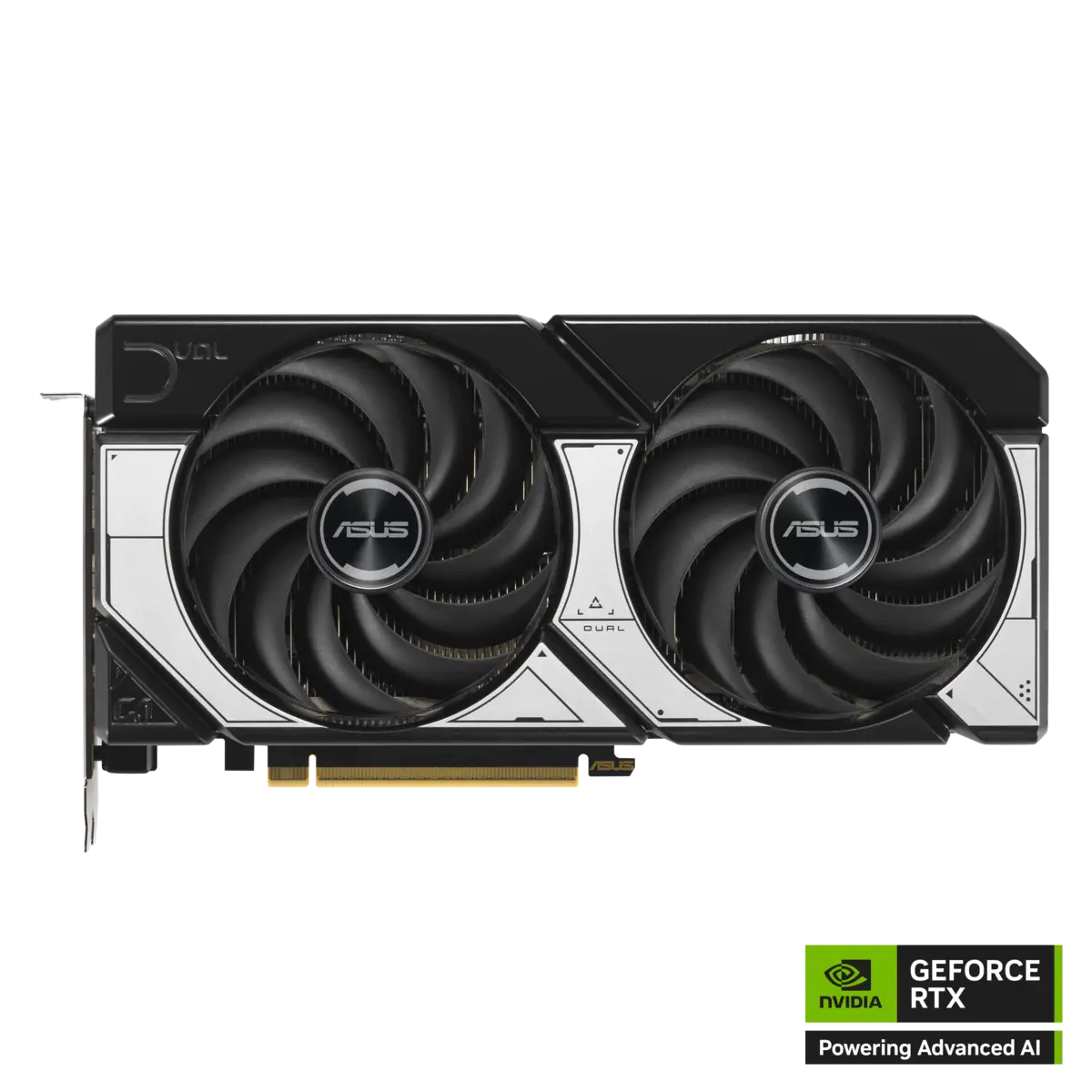
ASUS Dual GeForce RTX 5070 12GB OC
DUAL-RTX5070-O12G
- Published dimensions
- 249 × 126 × 50.6 mm
- Connector
- 1 × 16-pin
Manufacturer images already used in our catalogue, not GPUStores test photos. Images are not to scale. Review results cited elsewhere are not measurements of these partner models.
Is it a worthwhile upgrade?
Do not replace a working 4070 Super with a 5070 without a game-specific benchmark proving a meaningful gain.
Total cost before upgrading
If the change also requires a PSU, case or display, add those costs before comparing value. The best GPU on paper can become the weaker purchase for your system.
Questions before buying
Check today’s delivered price
Compare the exact model, dimensions, PSU needs, warranty and return policy before ordering.
