GPU COMPARISON · 2026 BUYING GUIDE
RTX 5070 Ti vs RX 9070 XT
Choose the RX 9070 XT for strong conventional gaming value. Choose the RTX 5070 Ti for ray tracing, CUDA, creator software or NVIDIA-specific features.
The 30-second decision
| Situation | Starting choice |
|---|---|
| Best rasterized frames per dollar | RX 9070 XT |
| Heavy ray tracing and ray reconstruction | RTX 5070 Ti |
| Blender, CUDA or NVIDIA AI tools | RTX 5070 Ti |
| Traditional 1440p/4K gaming | RX 9070 XT if cheaper |
| A project requiring more than 16 GB | Neither |
If the price gap is small, buy the ecosystem you use. If the Radeon is meaningfully cheaper for rasterized gaming, the savings should weigh heavily.

GPUStores analysis · Updated September 16, 2026. Advice based on specifications and cited sources; we do not claim GPUStores laboratory testing.
Quick comparison
| Criterion | RTX 5070 Ti | RX 9070 XT |
|---|---|---|
| Memory | 16 GB GDDR7 | 16 GB GDDR6 |
| Graphics power | 300 W | 304 W |
| Target | Ray tracing, creation and CUDA | High-FPS rasterized gaming |
| Strength | Strong software ecosystem and AI features | Competitive traditional gaming value |
| Watch for | Price premium can erase its value | Check your exact creator and AI applications |
Power figures are reference specifications; partner cards can vary.
What two independent tests show
These are the cited publications’ results, not GPUStores measurements. They describe the games, drivers and settings tested at publication, not promised frame rates for your PC.
TechSpot · 52 games 2026-05-22
RX 9070 XT = 100
GPUStores chart redrawn from rounded published differences. These historical averages do not predict individual games or results with frame generation.
TechSpot
Its 52-game comparison put the RTX 5070 Ti about 1.4% ahead at 1440p and 4% ahead at native 4K overall. Individual games and ray-tracing settings changed the result.
Tom’s Hardware
At launch, its rasterization suite put the 5070 Ti between 0% and 4% ahead across the tested resolutions and presets.
The test methods differ, so we do not merge their averages. Match the games and settings to your own use, then compare actual delivered Canadian prices.
Which offers better value?
Compare delivered Canadian prices, not MSRP. A small gap favours the feature set you use; a large gap should push the decision toward the cheaper card.
Close averages do not mean identical results in your games
I would not choose between these cards by the logo. Start with the three or four games you actually spend time playing. The card winning a broad average can lose in the game you open every evening. What matters is the experience on your monitor and which settings you are willing to adjust.
| Published reference | RTX 5070 Ti | RX 9070 XT |
|---|---|---|
| TechSpot, 4K average, 52 games | 84 FPS | 81 FPS |
TechSpot, May 22, 2026: two presets per game, mixing scenarios with and without ray tracing. These averages do not predict an individual game. TechSpot — 52 games.
ComputerBase, March 5, 2025, separates hardware ray-tracing runs, uses upscaling in some games and excludes frame generation from its general suite. We keep the suites separate rather than combining their FPS. ComputerBase — RX 9070 XT / RX 9070.
Ray tracing: pay for a setting you will actually use
In F1 25, TechSpot reports a Radeon lead at High without ray tracing, then a 20–24% GeForce lead with Ultra High ray tracing. Settings can reverse the result.
If you switch those effects off to keep gameplay smooth, I would not ask you to pay extra simply because they appear on a feature list. If you enjoy them, check the actual FPS with those effects, not just the percentage lead. Faster does not always mean fast enough for your target.
For DLSS and FSR, check the version available in your games and image quality in motion. Compare without frame generation at comparable settings first, then consider what the extra options add. Displayed frame rate and response to your inputs both deserve attention.
How much extra for the RTX? Use your actual prices
There is no universal 10% or 15% discount that settles the decision. These hypothetical Canadian-dollar examples are before tax and assume shipping is included. They are not current offers.
| RX 9070 XT | RTX 5070 Ti | RTX premium | What to ask yourself |
|---|---|---|---|
| 1 000 $ CAD | 1 050 $ CAD | 50 $ · 5 % | Which exact model and features suit me best? |
| 1 000 $ CAD | 1 200 $ CAD | 200 $ · 20 % | What improvement in my games or work is worth $200? |
| 1 000 $ CAD | 1 400 $ CAD | 400 $ · 40 % | Do I have a measurable reason to pay this difference? |
As a calculation independent of the reviews above, if the RTX costs 20% more and provides 5% more FPS in your scenario, its cost per FPS is about 14% higher (1.20 ÷ 1.05 − 1). That does not price image quality or software compatibility; it isolates what you pay for speed.
My advice: if both already do what you want, keep the savings or spend them elsewhere in the PC. If the cheaper card lacks a specific feature you need, account for that before calling it the better deal. Compare the same condition, applicable taxes, shipping and seller.
Creation and AI: start with the software
Both cards have 16GB. Buying the GeForce therefore does not give you more room for an AI model or 3D scene. First ask whether your software supports the card, on your operating system, with the features you need. If your tool requires CUDA, a Radeon does not directly replace that software path.
If both are supported, look for a test of your particular export, renderer or model. Gaming averages cannot answer that question. For occasional work, a few extra minutes may be acceptable. For regular paid work, value the time actually recovered and what you can do with it before paying the premium.
The right GPU in the wrong card is still a poor purchase
After choosing the GPU family, compare exact cards: length, thickness, connectors, recommended PSU and measured noise where available. A large premium for a luxury cooler can erase the saving that made the GPU attractive. Check what that model adds in your case, not just its advertised clock.
Similar reference power ratings, 300W and 304W, do not prove identical gaming consumption. Estimate electricity costs using a measured difference under the same workload, your usage hours and your rate. If you already own either card and it meets your needs, I would start by keeping it: fees and resale losses can outweigh a small improvement.
Choose for your actual workload
Pay extra for the 5070 Ti when your games or software benefit from its features. If you will not use those features, let the game benchmarks and checkout total decide.
Tradeoff to accept: Price premium can erase its value.
The 9070 XT is worth considering when its final price is lower and it performs well in your games. Check ray-tracing results separately if you intend to enable it.
Tradeoff to accept: Check your exact creator and AI applications.
What the specification table does not tell you
At 1080p, the CPU can narrow the gap between two GPUs. At 1440p and especially 4K, graphics load rises. Compare tests using your resolution, settings and similar games.
More memory helps when the workload exceeds available capacity. Architecture, bus and compute resources also determine performance: more VRAM is not automatically faster.
DLSS, FSR and frame generation can improve smoothness, but do not replace a strong base frame rate. Check image quality, latency and support in your games.
Two cards using the same GPU can differ in length, thickness, noise, connector and warranty. The exact model matters more than a tiny factory overclock.
The GPU name does not tell you which card fits your PC
These are specific examples from the catalogue. Match the model number on the listing: two cards with the same GPU can have different coolers and dimensions.
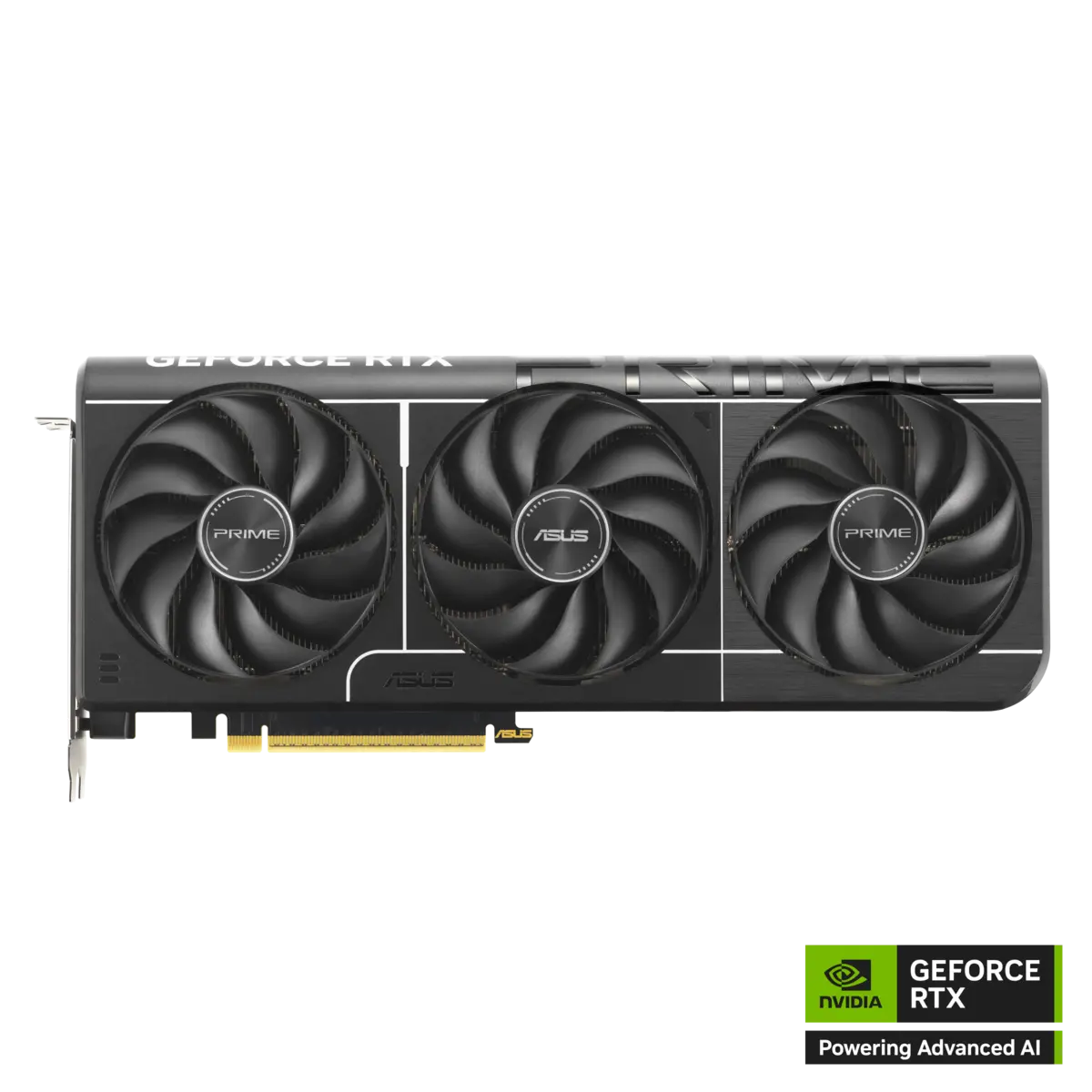
ASUS Prime GeForce RTX 5070 Ti 16GB OC
PRIME-RTX5070TI-O16G
- Published dimensions
- 304 × 126 × 50 mm
- Connector
- 1 × 16-pin
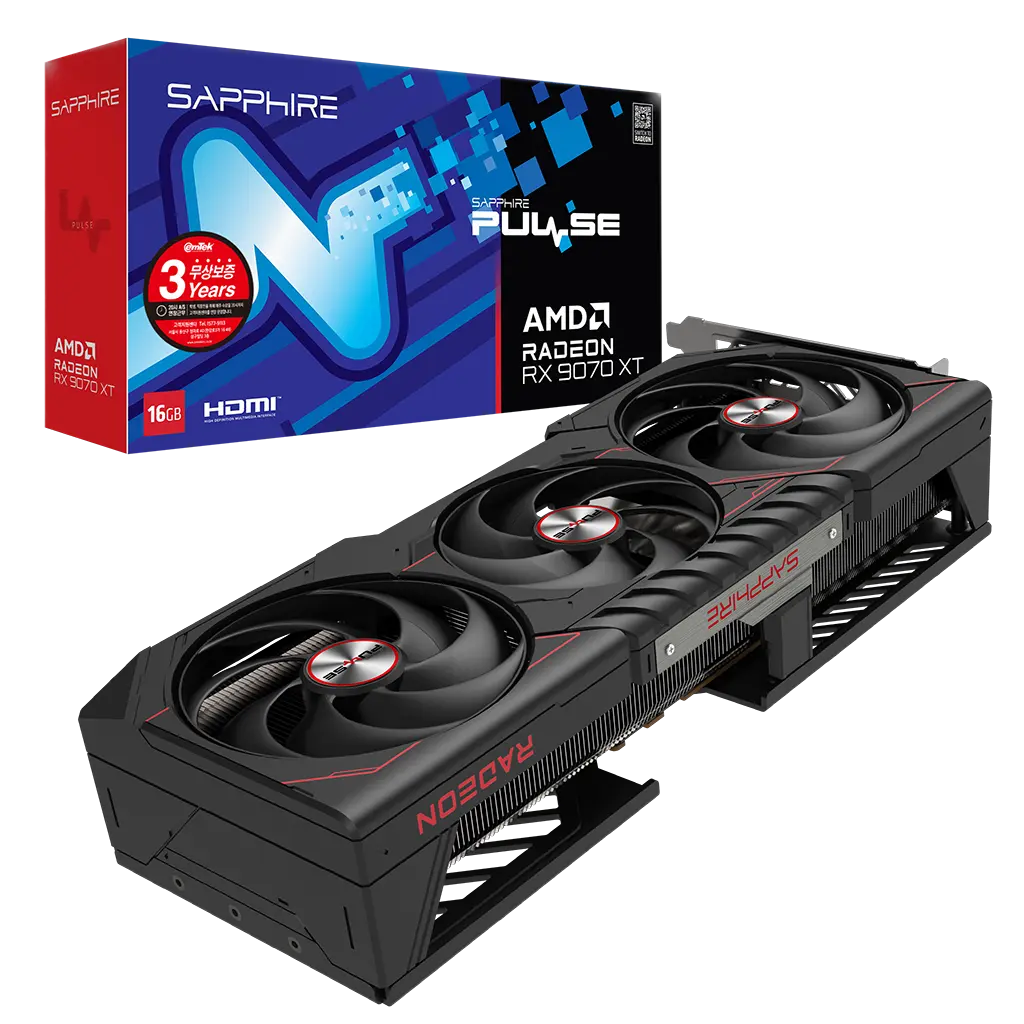
Sapphire PULSE AMD Radeon RX 9070 XT 16GB
11348-03-20G
- Published dimensions
- 320 × 120.25 × 61.6 mm
- Connector
- 2 × 8-pin
Manufacturer images already used in our catalogue, not GPUStores test photos. Images are not to scale. Review results cited elsewhere are not measurements of these partner models.
Is it a worthwhile upgrade?
Switching between these two is a side-grade for many gamers. Choose once based on software and keep the card.
Total cost before upgrading
If the change also requires a PSU, case or display, add those costs before comparing value. The best GPU on paper can become the weaker purchase for your system.
Questions before buying
Check today’s delivered price
Compare the exact model, dimensions, PSU needs, warranty and return policy before ordering.