GPU COMPARISON · 2026 BUYING GUIDE
RTX 5080 vs RTX 5090
The RTX 5080 is the sensible high-end gaming choice. The RTX 5090 is for buyers who can monetize its speed or genuinely need 32 GB.
The 30-second decision
| Situation | Starting choice |
|---|---|
| Premium 4K gaming | RTX 5080 |
| Extreme 4K regardless of value | RTX 5090 |
| Local AI exceeding 16 GB | RTX 5090 |
| Paid production where saved time is measurable | RTX 5090 if the math works |
| Occasional creation and gaming | RTX 5080 |
| Compact, quiet or power-limited PC | RTX 5080 |
For gaming alone, the RTX 5080 is usually the sensible high-end purchase. The RTX 5090 makes sense when 32 GB or measurable professional throughput changes the work.

GPUStores analysis · Updated September 16, 2026. Advice based on specifications and cited sources; we do not claim GPUStores laboratory testing.
Quick comparison
| Criterion | RTX 5080 | RTX 5090 |
|---|---|---|
| Memory | 16 GB GDDR7 | 32 GB GDDR7 |
| Graphics power | 360 W | 575 W |
| Target | Premium 4K gaming | Maximum 4K, AI and rendering |
| Strength | Much lower cost and power draw | Flagship speed and double the VRAM |
| Watch for | 16 GB can limit very large AI and creation jobs | Extreme purchase price, heat and PSU needs |
Power figures are reference specifications; partner cards can vary.
Which offers better value?
For gaming alone, the 5080 usually delivers the stronger return per dollar. The 5090 earns its premium in local AI, heavy rendering and workloads that exceed 16 GB.
For gaming: what improvement will you actually notice?
I would start with your monitor and the games you actually play. If the 5080 already delivers the experience you want at settings that matter to you, the 5090 is a luxury purchase. That can be a valid choice, but identify what the extra money changes: heavier ray tracing, fewer GPU-limited slowdowns or a higher refresh-rate target.
Compare results at the same resolution and settings, including the least smooth sections. A flattering average is not enough. In its January 2025 review, Tom’s Hardware also distinguishes rendered frames from generated ones: a higher counter does not imply equivalent responsiveness. Tom’s Hardware — RTX 5080.
My advice: compare without frame generation first, then evaluate what DLSS and frame generation add in your games. If your CPU already limits FPS, investigate that before putting the entire budget into the graphics card.
For AI: 32GB expands your options, with limits
The 5090’s 32GB becomes relevant when your project exceeds the 5080’s 16GB. However, model-file size is not the whole memory requirement: context, working data and software need space too. A 30GB model is therefore not automatically a comfortable fit on a 32GB card.
If everything already fits in 16GB, examine throughput in your software. Puget Systems separates text and image generation and varies batch sizes. Its February 2025 tests show that results depend on the workload and used early software builds. These are historical reference points, not a promise for your current installation. Puget Systems — RTX 5090 & 5080 AI review.
Before spending more, identify the model, quantization, context length and software you intend to use. Look for measurements matching that scenario. When a workload exceeds VRAM, some software can offload work to system RAM or use reduced settings, with speed or quality tradeoffs. Check what your tool actually supports.
For creation: saved time needs a practical use
Faster rendering has financial value when you can deliver more work, avoid delays or free useful time. If you export overnight and both cards finish before you wake, the business benefit may be zero. I would check the renderer, export format and GPU-accelerated portion of the work before assuming the 5090 pays for itself.
| Your need | What justifies paying more |
|---|---|
| Gaming | A noticeable gain in your games, on your monitor, at comparable settings. |
| Local AI | A workload that fits within 32GB, or verified higher throughput in your software. |
| Paid creation | Recovered time you can actually use or bill for. |
Do the math before buying
Hypothetical example in Canadian dollars before tax: a $2,000 RTX 5080 and a $4,000 RTX 5090. These are not current offers. The premium is $2,000, or 100%. If a test relevant to your use measured 50% higher performance, cost per unit of performance would increase by about 33%. You may accept that premium to reach a specific target; it does not automatically make it good value.
For paid work, now assume a $2,400 total premium including necessary accessories. If verified time savings recover four genuinely useful hours per month valued at $30 each, that is $120 per month: 20 months to cover the premium before other costs. If those hours do not create more output or avoid an expense, do not count them as invented revenue.
Then account for additional electricity, financing and resale-value differences. For compute rental, use conservative occupancy and revenue after fees: owning a 5090 does not guarantee a customer. If you already own a 5080, start with the 5090 purchase price minus your card’s net resale proceeds, plus required expenses.
The RTX 5090 may require a different PC around it
The reference card reaches 575 W and NVIDIA recommends a 1,000 W system. Price the PSU and cables, electrical circuit, fit and weight, room heat, airflow, noise and resale value before comparing only the GPUs.
Choose for your actual workload
Start with the 5080 for gaming and projects that fit within 16GB. Compare its results at your screen resolution before spending substantially more on the graphics card and the system around it.
Tradeoff to accept: 16 GB can limit very large AI and creation jobs.
The 5090 solves a different problem when a supported workload exceeds 16GB but fits within 32GB. For gaming alone, decide what its measured gain is worth to you; extra capacity does not automatically improve every game.
Tradeoff to accept: Extreme purchase price, heat and PSU needs.
What the specification table does not tell you
At 1080p, the CPU can narrow the gap between two GPUs. At 1440p and especially 4K, graphics load rises. Compare tests using your resolution, settings and similar games.
More memory helps when the workload exceeds available capacity. Architecture, bus and compute resources also determine performance: more VRAM is not automatically faster.
DLSS, FSR and frame generation can improve smoothness, but do not replace a strong base frame rate. Check image quality, latency and support in your games.
Two cards using the same GPU can differ in length, thickness, noise, connector and warranty. The exact model matters more than a tiny factory overclock.
The GPU name does not tell you which card fits your PC
These are specific examples from the catalogue. Match the model number on the listing: two cards with the same GPU can have different coolers and dimensions.
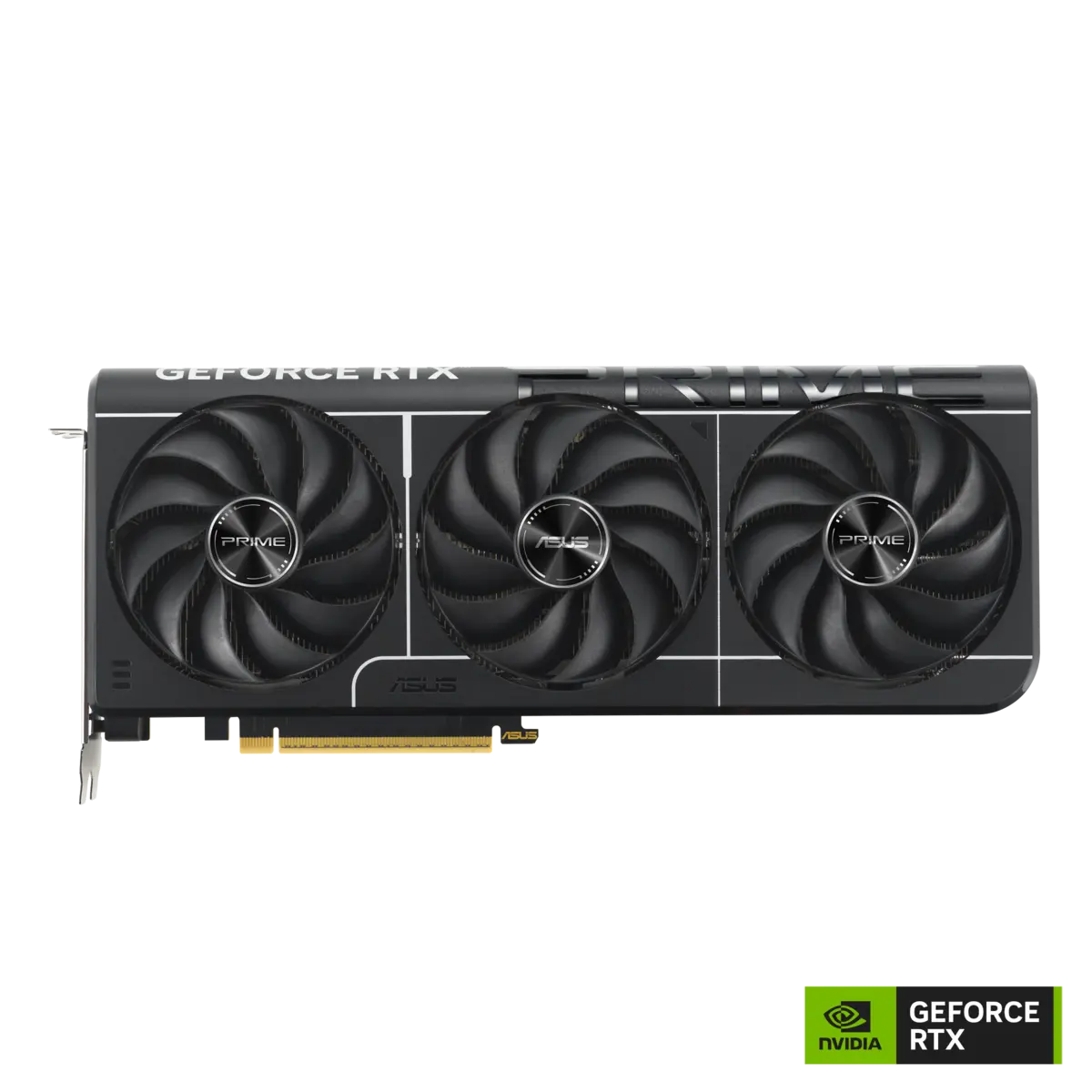
ASUS Prime GeForce RTX 5080 16GB OC
PRIME-RTX5080-O16G
- Published dimensions
- 304 × 126 × 50 mm
- Connector
- 1 × 16-pin
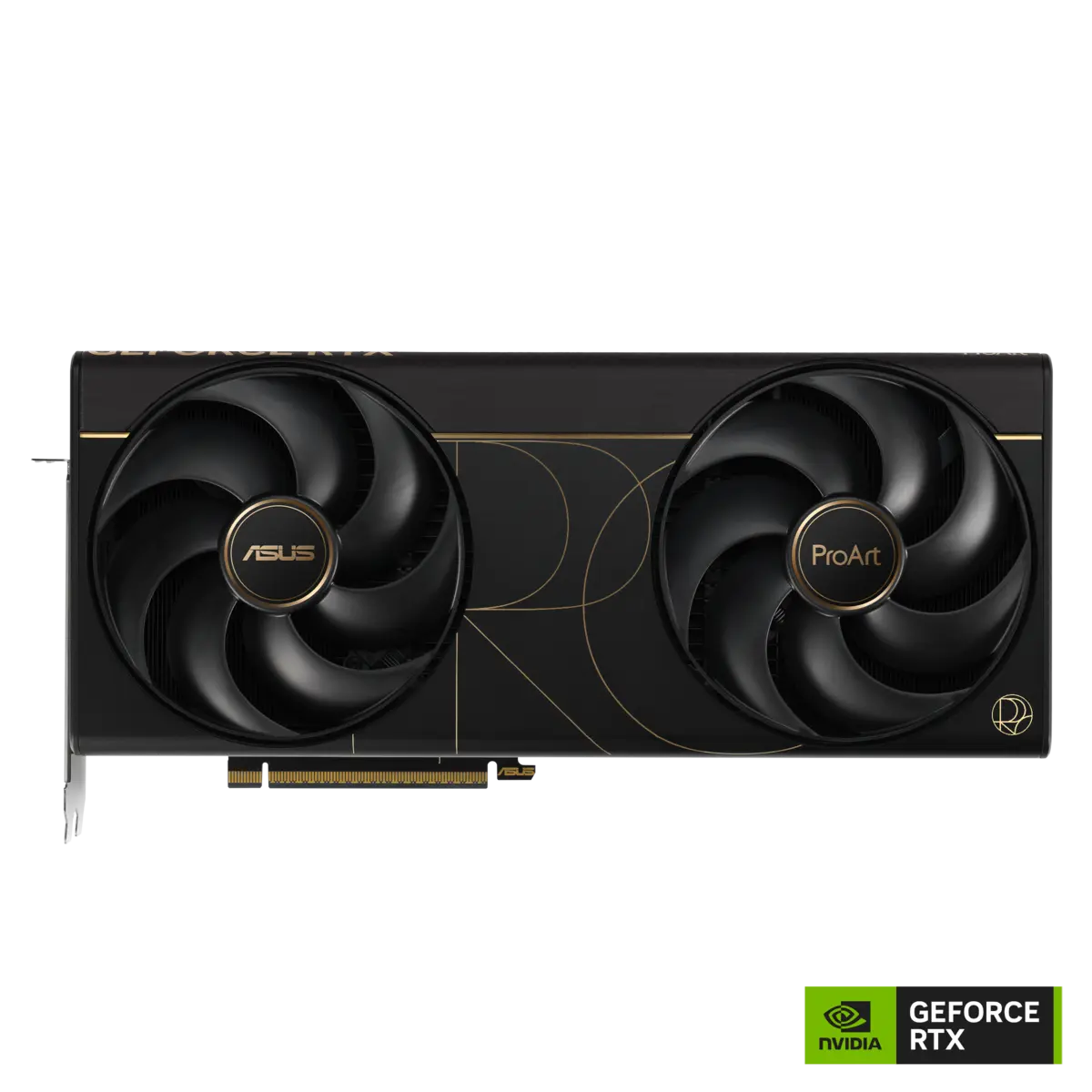
ASUS ProArt GeForce RTX 5090 32GB OC
PROART-RTX5090-O32G
- Published dimensions
- 304 × 140 × 50 mm
- Connector
- 1 × 16-pin
Manufacturer images already used in our catalogue, not GPUStores test photos. Images are not to scale. Review results cited elsewhere are not measurements of these partner models.
Is it a worthwhile upgrade?
Upgrade from a 5080 only if a measured workload is VRAM-bound or the saved production time has real value.
Total cost before upgrading
If the change also requires a PSU, case or display, add those costs before comparing value. The best GPU on paper can become the weaker purchase for your system.
Questions before buying
Check today’s delivered price
Compare the exact model, dimensions, PSU needs, warranty and return policy before ordering.