GPU COMPARISON · 2026 BUYING GUIDE
RTX 4090 vs RTX 5090
Keep a healthy RTX 4090 for gaming. Move to the RTX 5090 when 32 GB, new-generation features or measurable professional throughput pays for the change.
GPUStores analysis · Updated September 16, 2026. Advice based on specifications and cited sources; we do not claim GPUStores laboratory testing.
Quick comparison
| Criterion | RTX 4090 | RTX 5090 |
|---|---|---|
| Memory | 24 GB GDDR6X | 32 GB GDDR7 |
| Graphics power | 450 W | 575 W |
| Target | Elite 4K and creation | Fastest GeForce and larger AI models |
| Strength | Still exceptionally fast with 24 GB | New architecture, 32 GB and higher throughput |
| Watch for | Used pricing, warranty and connector history | Very high total system cost |
Power figures are reference specifications; partner cards can vary.
What two independent tests show
These are the cited publications’ results, not GPUStores measurements. They describe the games, drivers and settings tested at publication, not promised frame rates for your PC.
GPUStores chart redrawn from rounded published differences. These historical averages do not predict individual games or results with frame generation.
TechSpot
Across 17 games, the RTX 5090 led the 4090 by 12% at 1440p and 27% at 4K.
Tom’s Hardware
Its rasterization suite found a 13% lead at 1440p Ultra and 25% at 4K Ultra, with substantial differences between games.
The test methods differ, so we do not merge their averages. Match the games and settings to your own use, then compare actual delivered Canadian prices.
Which offers better value?
A discounted 4090 can remain compelling, but used-condition risk must be priced in. A new 5090 buys warranty, capacity and the current flagship platform.
Choose for your actual workload
Already own a 4090? Keep it if it meets your frame-rate or workload target. Compare the cost of upgrading with the gain in your actual games, not the generation number.
Tradeoff to accept: Used pricing, warranty and connector history.
Consider the 5090 when a measured 4K gain or a workload needing more than 24GB solves a real limit. Check the exact card’s cooling and power requirements before ordering.
Tradeoff to accept: Very high total system cost.
What the specification table does not tell you
At 1080p, the CPU can narrow the gap between two GPUs. At 1440p and especially 4K, graphics load rises. Compare tests using your resolution, settings and similar games.
More memory helps when the workload exceeds available capacity. Architecture, bus and compute resources also determine performance: more VRAM is not automatically faster.
DLSS, FSR and frame generation can improve smoothness, but do not replace a strong base frame rate. Check image quality, latency and support in your games.
Two cards using the same GPU can differ in length, thickness, noise, connector and warranty. The exact model matters more than a tiny factory overclock.
The GPU name does not tell you which card fits your PC
These are specific examples from the catalogue. Match the model number on the listing: two cards with the same GPU can have different coolers and dimensions.
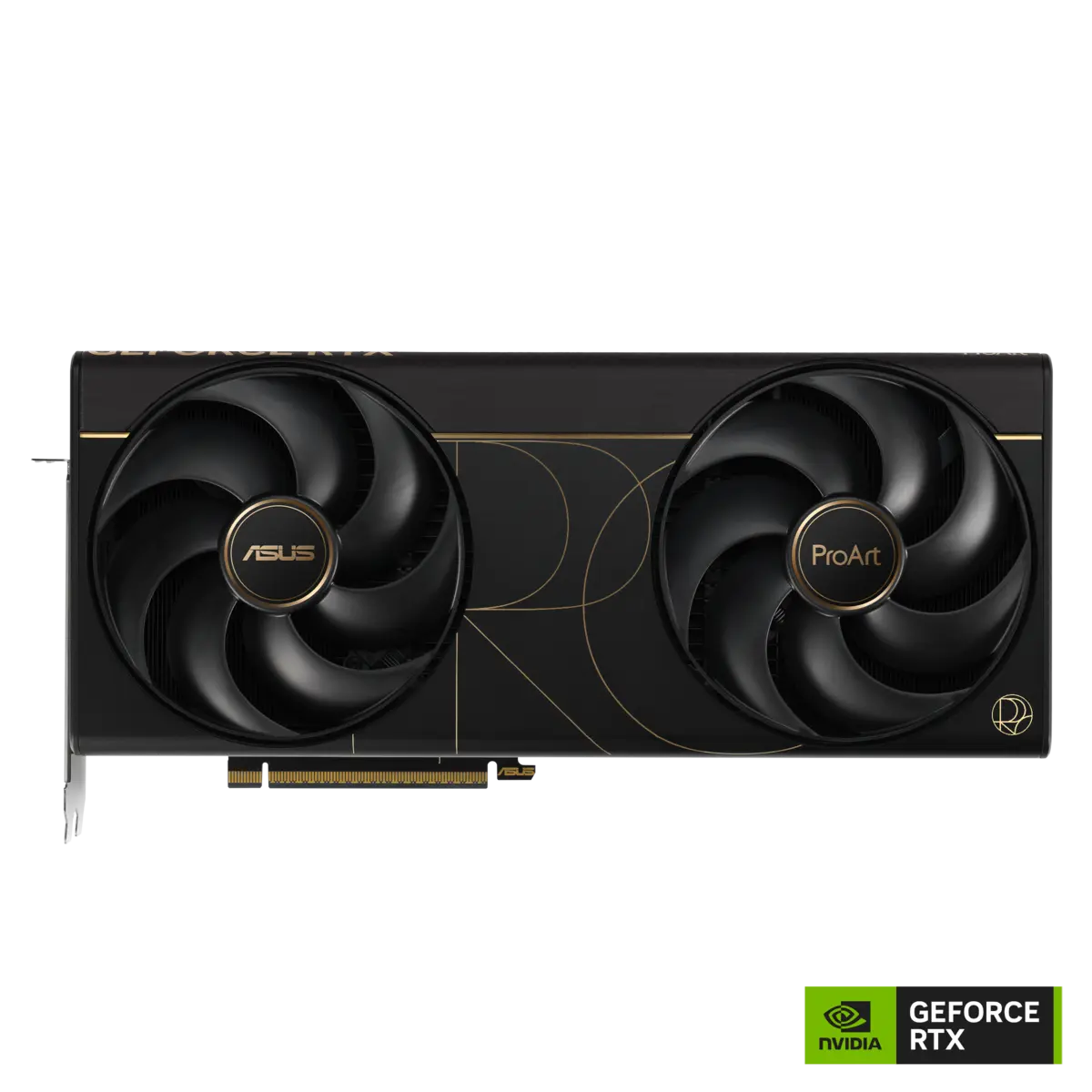
ASUS ProArt GeForce RTX 5090 32GB OC
PROART-RTX5090-O32G
- Published dimensions
- 304 × 140 × 50 mm
- Connector
- 1 × 16-pin
Manufacturer images already used in our catalogue, not GPUStores test photos. Images are not to scale. Review results cited elsewhere are not measurements of these partner models.
Is it a worthwhile upgrade?
For most 4090 owners this is a productivity upgrade, not a necessary gaming upgrade.
Total cost before upgrading
If the change also requires a PSU, case or display, add those costs before comparing value. The best GPU on paper can become the weaker purchase for your system.
Questions before buying
Check today’s delivered price
Compare the exact model, dimensions, PSU needs, warranty and return policy before ordering.
