Compare five exact models: 180 Hz IPS at 1080p and 1440p, then 1440p, 4K and dual-mode OLED. Choose by your games, GPU, connections and Canadian offers.
Updated September 5, 2026
START WITH THE NEED
1080p IPS, 1440p IPS or OLED?
The right choice starts with your games, resolution and the frame rate your PC actually sustains. A 180 Hz display does not make the PC render 180 frames per second. Compare these IPS options with the OLED models later in the guide before deciding where to spend.
Choose resolution before the model
Priority
Starting point
Tradeoff to check
Smooth gaming, compact size
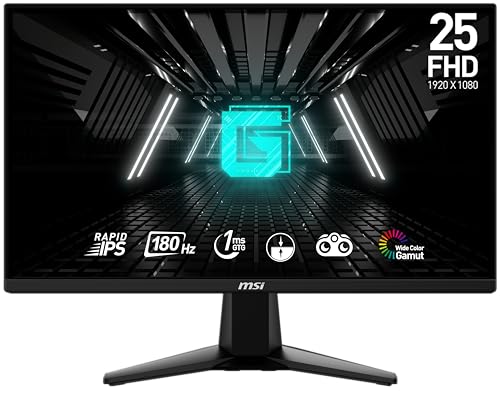
MSI G255F · 1080p IPS
Less detail and workspace than 1440p
Gaming and work at 27 inches
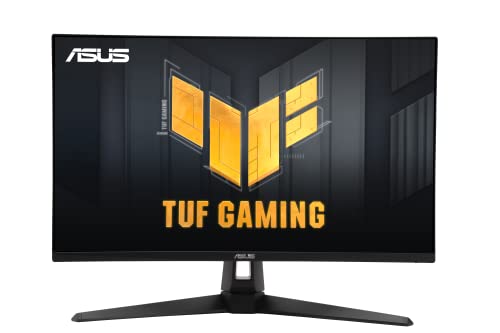
ASUS VG27AQ3A · 1440p IPS
More pixels to render; 180 Hz over DisplayPort
OLED contrast and premium gaming
OLED models below
Price, static text, OLED care and warranty
1440p contains about 78% more pixels than 1080p (3.69 versus 2.07 million). That is resolution arithmetic, not a predicted FPS loss. For the GPU decision, use our high-refresh 1440p guide.
Selection based on manufacturer specifications, without lab testing. Newegg prices refresh; an absent offer does not confirm an out-of-stock product.
A 24.5-inch option when you want high refresh without moving the GPU workload to 1440p. Start here if desk space and maintaining frame rate matter more than extra resolution.
Check: MSI lists 180 Hz at 1080p on both HDMI and DisplayPort. The included stand adjusts tilt; plan a compatible VESA arm if you need height adjustment.
A 27-inch option for more detailed gaming and a larger desktop workspace. Consider it when your games run comfortably at 1440p and OLED is not a priority.
Check: 180 Hz uses DisplayPort; ASUS lists HDMI up to 144 Hz. No height adjustment or USB-C laptop charging. HDR10 support alone is not proof of strong HDR performance.
Affiliate links. We may earn a commission from qualifying purchases.
ASIN B0CV1Y7NLT · Confirm price and availability.
FAQ
Before ordering
Why not simply buy the cheapest?
The budget product is excellent when it meets your need. It becomes expensive when a missing connection, format or essential feature forces replacement.
Is the premium model always better?
No. It generally offers more features or refinement, but those have value only when used. The table identifies each model's tradeoff.
What should be checked on Amazon before buying?
Confirm model, MPN or ASIN, variant, layout or size, seller, condition, included accessories, warranty and final price.
With your permission: visitor statistics, retailer clicks and ad measurement, including session recordings. Declining does not block the site.
Services used and privacy
With your permission, GPUStores uses anonymous first-party measurement, Google Analytics, Google Ads, Microsoft Advertising, Microsoft Clarity (heatmaps and session recordings) and the Meta Pixel to measure visits, page reading, retailer clicks and advertising effectiveness. We do not sell personal data.