BUYING COMPARISON · WIRED MICE
Logitech G502 HERO vs Razer Basilisk V3: Which Wired Mouse Should You Buy?
Two control-rich ergonomic mice. Shape, weight and wheel behaviour decide long before maximum DPI.
Basilisk V3 for lower weight and HyperScroll; G502 HERO for adjustable weights and its familiar layout.
Choose by hand fit and wheel preference. Neither is a minimalist FPS mouse, and current data does not support declaring either cheaper today: compare the exact offers.
AT-A-GLANCE COMPARISON
The differences that change the purchase
| Specification | Logitech G502 HERO | Razer Basilisk V3 |
|---|---|---|
| Exact identity | 910-005469 · model M-U0047 | RZ01-04000100-R3U1 |
| Connection | Wired USB · 2.1 m cable | Wired · Speedflex cable |
| Weight convention | 121 g mouse only · up to 18 g optional weights | 101 g excluding cable |
| Programmable buttons | 11 | 11 (10+1) |
| Sensor | HERO · 100–25,600 DPI | Optical · up to 26,000 DPI |
| Report rate | 1,000 Hz (1 ms) | Not specified on the current official product page |
| Onboard profiles | Up to 5 with supported firmware | 5 |
| Scroll wheel | Physical dual-mode, fast or notched · tilt inputs | Four-way HyperScroll · electronic notched and free-spin modes |
| Lighting | 1 LIGHTSYNC RGB zone | 11 Chroma RGB zones |
| Best fit | Adjustable balance and a familiar control-heavy layout | Lower weight and a more elaborate wheel |
Weight conventions differ: Logitech states mouse only; Razer excludes the cable. Do not turn maximum DPI into a real-world accuracy ranking.
Shape, grip and comfort
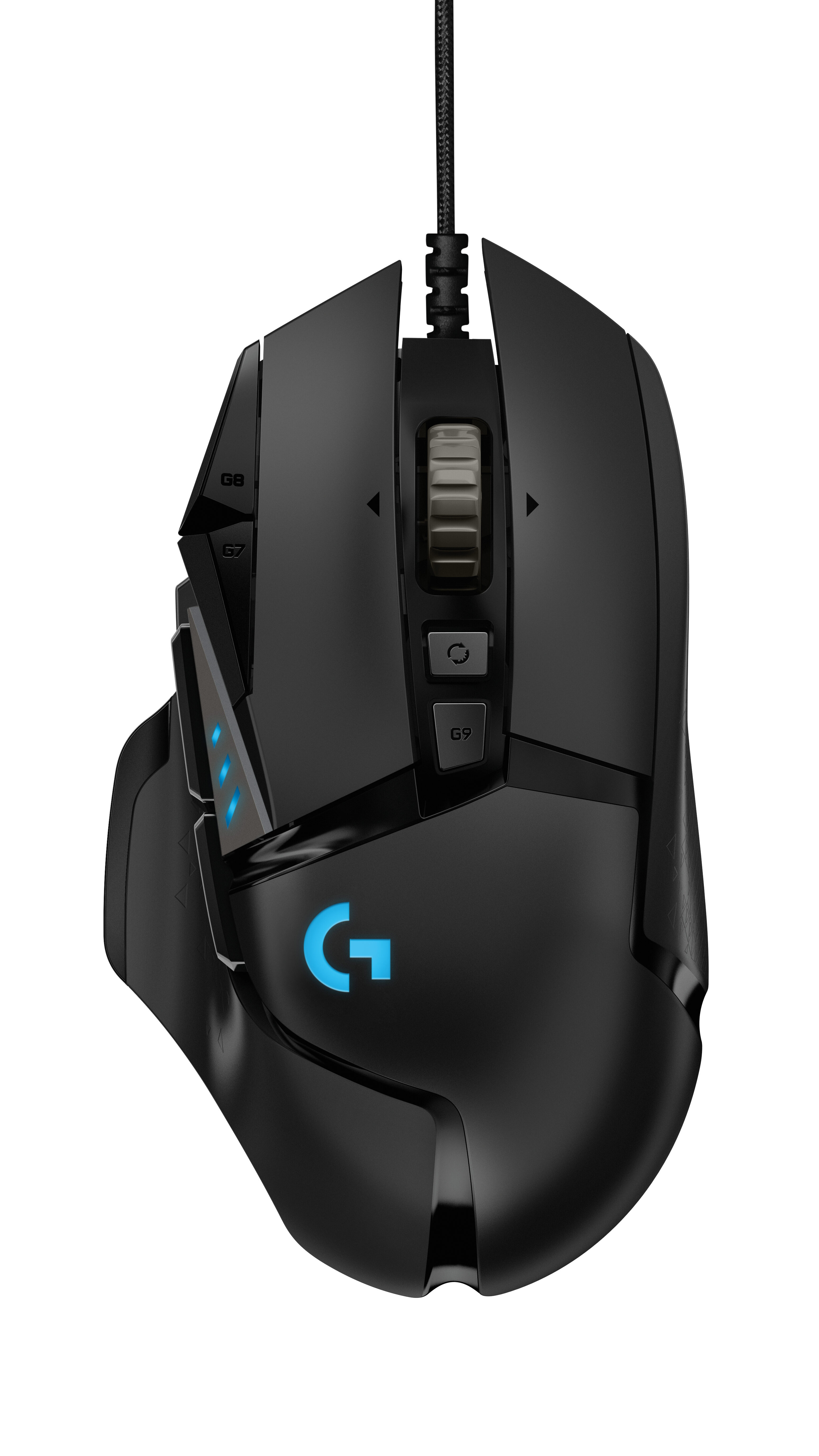
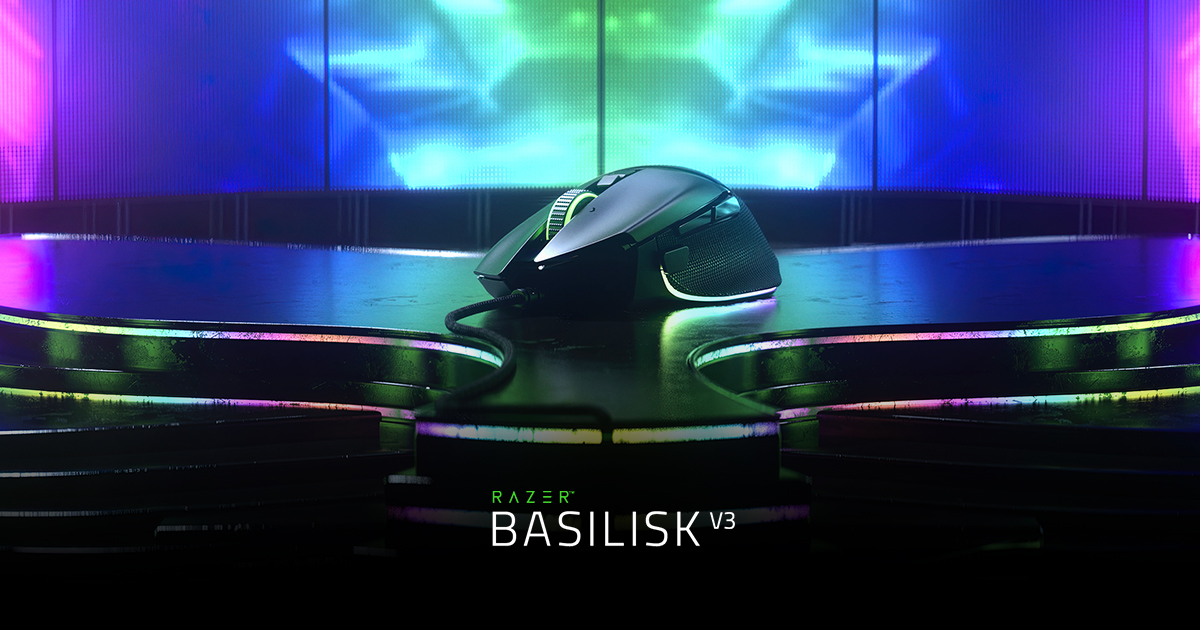
Both are right-handed ergonomic shells with thumb support. They are strongest candidates for palm and relaxed-claw grips that rest the hand on the shell. Aggressive claw can work, but a lower symmetrical shape may leave more freedom. For fingertip grip, neither is an obvious starting point unless large hands deliberately want a substantial shell.
121 g before optional weights: planted feel, but more effort during repeated large movements.
101 g excluding cable: about 20 g less, without becoming a modern ultralight.
Scroll wheel: two genuinely different approaches
G502 HERO
Its physical wheel switches between precise notched scrolling and fast free scrolling, with tilt inputs. The mode change remains mechanical.
Basilisk V3 HyperScroll
Its four-way wheel provides electronically actuated notched and free-spin modes. Synapse also controls advanced wheel behaviours.
Sensors: the numbers do not predict your aim
Logitech lists 100–25,600 DPI, 1,000 Hz, over 400 IPS and over 40 G. Razer lists 26,000 DPI, 650 IPS and 50 G. At common sensitivities, both sensors are technically capable. Basilisk’s lower weight is the more logical advantage for faster repeated swipes, but a dedicated ultralight remains a better starting point for pure competitive FPS.
Software and onboard memory
Logitech G HUB
Configures buttons, DPI, LIGHTSYNC and profiles. Logitech lists up to five onboard profiles with supported firmware; not every advanced behaviour is necessarily retained without software.
Razer Synapse
Configures buttons, DPI, Chroma, profiles and HyperScroll behaviour. Razer lists five onboard profiles; some lighting and wheel features remain software-dependent.
You want adjustable balance and already know its shape.
- Strengths: five 3.6 g weights, 11 controls and a physical dual-mode wheel.
- Best fit: mixed gaming, browsing and productivity with many shortcuts.
- Compromise: 121 g before weights and a cable; this is not a fast minimalist shell.

You want lower weight and the more elaborate wheel.
- Strengths: 101 g excluding cable, 11 controls and four-way HyperScroll.
- Best fit: right-handed ergonomics, long scrolling and mixed gaming-work use.
- Compromise: It remains heavy beside modern FPS mice, and several advanced features depend on Synapse.
FAQ
Is the Basilisk V3 better for FPS?
It is 20 g lighter before cable effects, but neither mouse is an ultralight specialist. Hand fit, sensitivity and repeatable control matter more than the maximum DPI figure.
Does the G502 HERO work without G HUB?
Basic mouse functions work without G HUB. Use G HUB to configure supported button, DPI, lighting and onboard-profile settings.
Are these mice wireless?
No. This comparison covers the exact wired G502 HERO 910-005469 and wired Basilisk V3 RZ01-04000100-R3U1, not G502 X, LIGHTSPEED, Basilisk V3 Pro or Basilisk V3 X HyperSpeed.
Which mouse has the better scroll wheel?
Basilisk V3 has the more elaborate electronically actuated HyperScroll system. G502 HERO uses a physical dual-mode wheel. The better feel is a preference, not a benchmark result.
Sources and method
Editorial comparison based on exact models and manufacturer-published conventions. GPUStores did not conduct hands-on testing or invent performance measurements.
Affiliate disclosure: GPUStores may earn an eligible commission at no additional cost to you. Check price and stock with the merchant.