For CanadaPrices in CAD when availableEnglish / Français
BUYING GUIDE · 25 MICE AUDITED
Best Gaming Mouse in Canada: Shape, Weight and Controls
The best gaming mouse is the one that fits your hand and game before it wins a specification contest. Start with shape and grip, then choose weight, buttons, connection and budget.
Text revised September 19, 2026 · Picks from our Canadian catalogue
Before choosing: what bothers you about your current mouse?
Put your current mouse beside the specifications of the model you are considering. You are solving a specific problem, not shopping for the biggest DPI number.
| What you notice | What to compare |
|---|---|
| Your current mouse makes you squeeze your fingers | Compare width and side slope, not just length. |
| You move your hand to reach a button | Check button placement. More controls do not help when they are awkward to reach. |
| You are comfortable but want less weight | Keep your current shape as a reference. Saving weight is not worth losing a comfortable grip. |
Without trying the shape, a specification sheet cannot settle comfort. Check the seller’s return conditions before opening or using the mouse.
FAST ANSWER
Start with your use, then validate the shape
These are decision starting points, not universal winners. An excellent mouse can still be wrong for your hand.
| Use case | Primary pick | Alternative | Weight | Shape | Wireless |
|---|---|---|---|---|---|
| Wireless work + gaming | Logitech G502 X PLUS — Black | Razer Basilisk V3 | 106 g | Right-handed ergonomic | Yes |
| Competitive FPS | Razer Viper V3 Pro — Black | PRO X SUPERLIGHT 2 DEX | 54 g | Symmetrical, low profile | Yes |
| Ergonomic / larger hands | Razer DeathAdder V4 Pro — Black | Razer DeathAdder V3 | 56 g | Right-handed ergonomic | Yes |
| MMO / many buttons | Razer Naga V2 Pro — Black | SteelSeries Aerox 9 Wireless | ≈134 g | Right-handed MMO | Yes |
| Wireless value | Logitech G309 LIGHTSPEED — Black | Razer Viper V3 HyperSpeed | 86 g with AA battery | Symmetrical | Yes |
| Wired value | ASUS TUF Gaming M3 Gen II — Black | Razer DeathAdder V3 | 59 g | Symmetrical | No |
| Lightweight alternative | Logitech G PRO X SUPERLIGHT 2 DEX — Black | Razer Viper V3 Pro | ≈60 g | Right-handed | Yes |
| Smaller hands | Logitech G705 — White Mist | Logitech G309 LIGHTSPEED | 85 g | Compact ergonomic | Yes |
| Productivity + gaming | Razer Basilisk V3 — Black | Logitech G502 X PLUS | ≈101 g | Right-handed ergonomic | No |
| Affordable FPS wired | Razer DeathAdder V3 — Black | ASUS TUF Gaming M3 Gen II | 59 g | Right-handed ergonomic | No |
Down to two mice? Here is how to choose.
For work and mixed gaming, compare the G502 X PLUS with the Basilisk V3: is wireless worth the extra cost to you? For FPS, compare the Viper V3 Pro with the SUPERLIGHT 2 DEX: do you prefer a symmetrical or right-handed shell? Those are two different decisions.
This shortlist covers our catalogue, not every newly released mouse. Use the independent reviews below for latency and sensor measurements. We do not infer those results from advertised specifications.
SHAPE · GRIP · HAND
Shape matters more than maximum DPI
A neutral shape leaves more freedom for claw and fingertip grip. An ergonomic shell offers more support for palm or relaxed claw grip. An MMO shell usually trades weight and simplicity for command density.
Measure hand width and notice where the hump meets your palm. For larger hands, prioritize width, usable length and button position. For smaller hands, avoid a shell that forces you to shift grip to reach controls.
Before blaming the shape, match the sensitivity
Two mice set to the same displayed value can still feel different. In your usual game, use a ruler to measure the travel needed for one full turn. Adjust the setting until both cover the same distance. Keep the same pad and grip: you can then compare control rather than two sensitivities.
Also try ordinary desktop work: selecting text, moving a tab, dragging and scrolling a long document. Mick still appreciates his wired G502’s palm support after years of use, but reports an increasingly imprecise wheel. His experience illustrates why comfort and control wear deserve separate attention; it is not a test of the newer G502 X models.
What are these picks based on?
These picks use the specifications of models in our catalogue and their practical tradeoffs. They are not the results of a GPUStores hands-on comparison of all 25 mice. Mick’s personal account above is separate from this research-based selection.
For independent measurements and hands-on assessments, consult RTINGS and the use-case reviews from Tom’s Hardware. Their testing goes beyond advertised DPI; their prices and availability do not necessarily reflect Canada.
WHAT ACTUALLY CHANGES THE PURCHASE
Weight, connection, sensor and controls
A light shell starts and stops easily, but stability, grip tension and pad friction change the feel. Lighter is not automatically better.
Good 2.4 GHz wireless can be competitive. Compare battery routine, receiver placement, charging, Bluetooth, weight and price gap.
Higher maximum DPI does not automatically improve aim. Tracking quality, consistency and a polling rate your PC can support matter more than the biggest number.
Count buttons you can reach without shifting grip and check onboard memory. For MMO or productivity, a true side grid is worth more than two extra top controls.
10 PROFILES · EXACT MODELS
The best starting points in the current catalogue
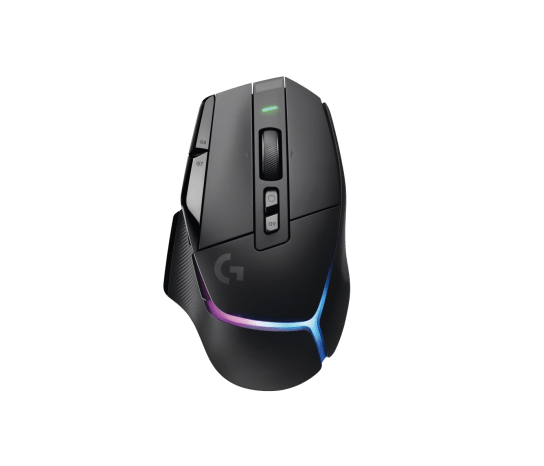 Wireless work + gaming
910-006160 · ASIN B092CB69Q4
Logitech G502 X PLUS — Black
Choose it if you want one wireless mouse for work and several game genres. Its thumb rest and 13 programmable controls are useful when you use shortcuts often; for repeated low-sensitivity FPS swipes, a lighter mouse may suit you better.
Check before buyingIt is a control-heavy ergonomic mouse, not a minimalist FPS shell.
Confirm price, stock, seller and terms on Amazon.ca.
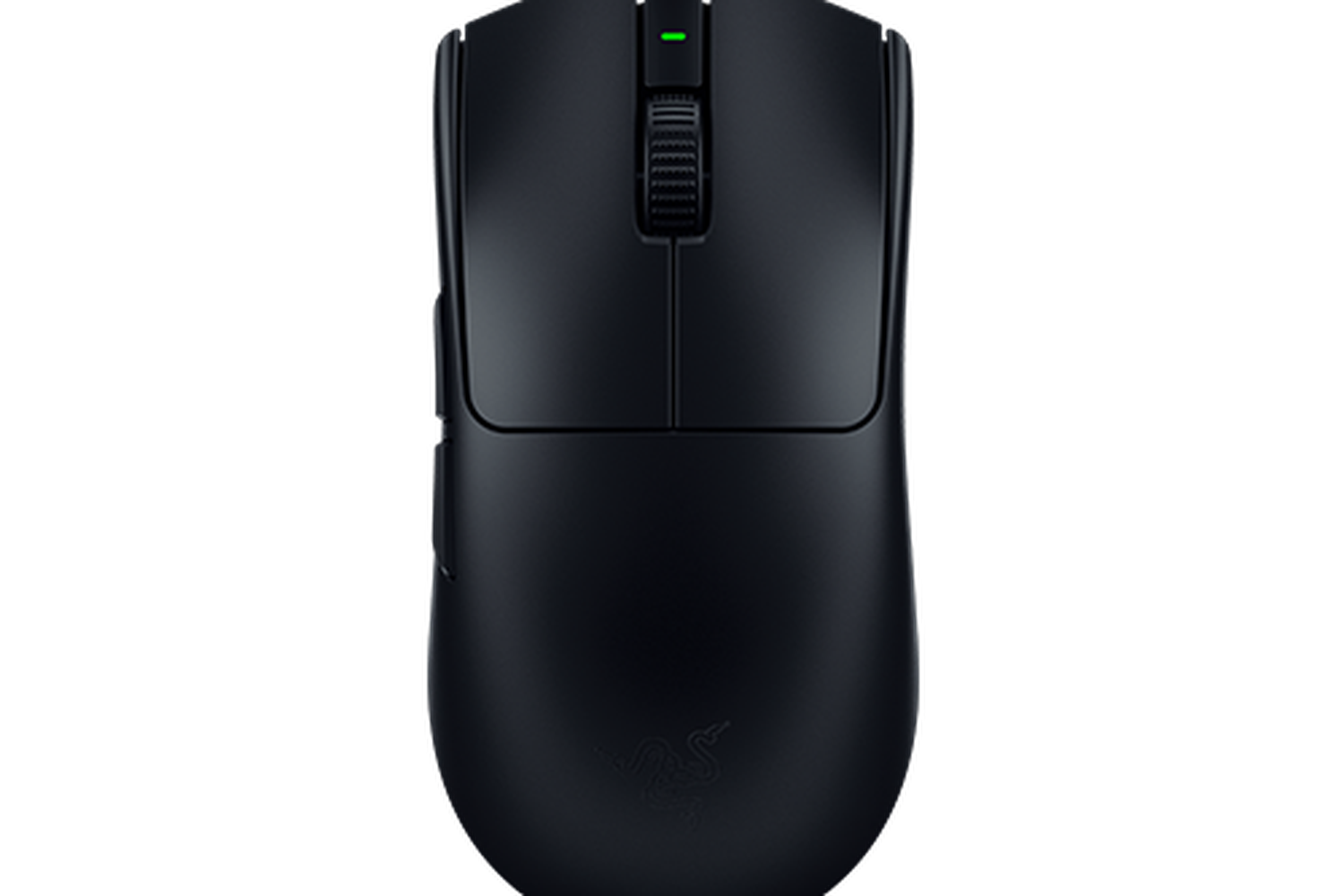 Competitive FPS
RZ01-05120100-R3U1 · ASIN B0CW25XR5R
Razer Viper V3 Pro — Black
Choose the 54 g Viper if you want a light, symmetrical shell for repeated FPS swipes. Compared with the G502 X PLUS, you give up the thumb rest and extra controls. Choose the DEX instead if you prefer a right-handed shape; a bigger sensor number will not settle that choice.
Check before buyingConfirm the low-profile shape suits your grip and hand width.
Confirm price, stock, seller and terms on Amazon.ca.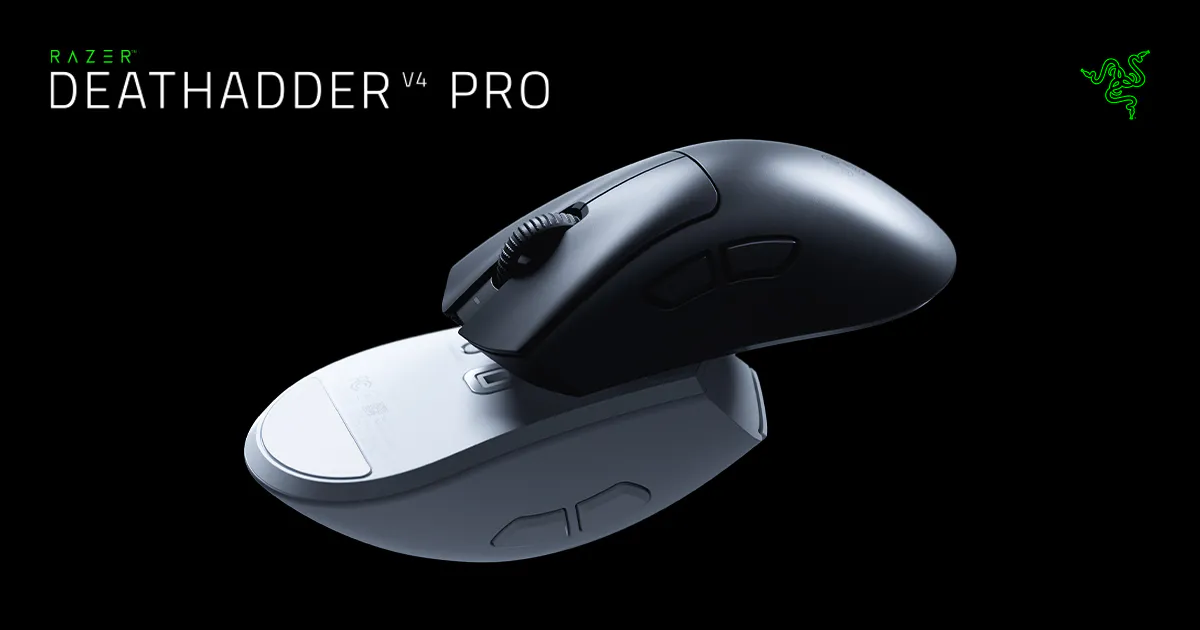 Ergonomic / larger hands
RZ01-05330100-R3U1 · ASIN B0F3QCXL82
Razer DeathAdder V4 Pro — Black
Consider this 56 g mouse if you want a light FPS model with a curved right-handed shell. Compare its palm support with the Viper’s symmetrical shape before choosing: low weight alone does not tell you which will fit.
Check before buyingIts pronounced ergonomic shape is more specific than a neutral shell.
Confirm price, stock, seller and terms on Amazon.ca.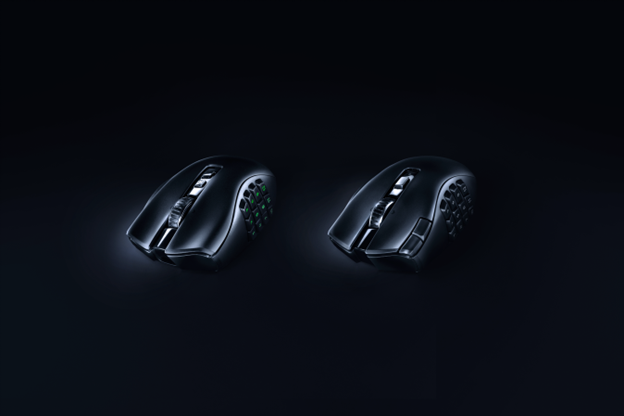 MMO / many buttons
RZ01-04400100-R3U1 · ASIN B0BGJTLFN5
Razer Naga V2 Pro — Black
Choose the Naga when you need many actions under your thumb. Its interchangeable 2-, 6- and 12-button side plates let you change layouts between games. If you only use two side buttons, you would be carrying extra weight for controls you do not need.
Check before buyingAt about 134 g, it trades low mass for controls and flexibility.
Confirm price, stock, seller and terms on Amazon.ca.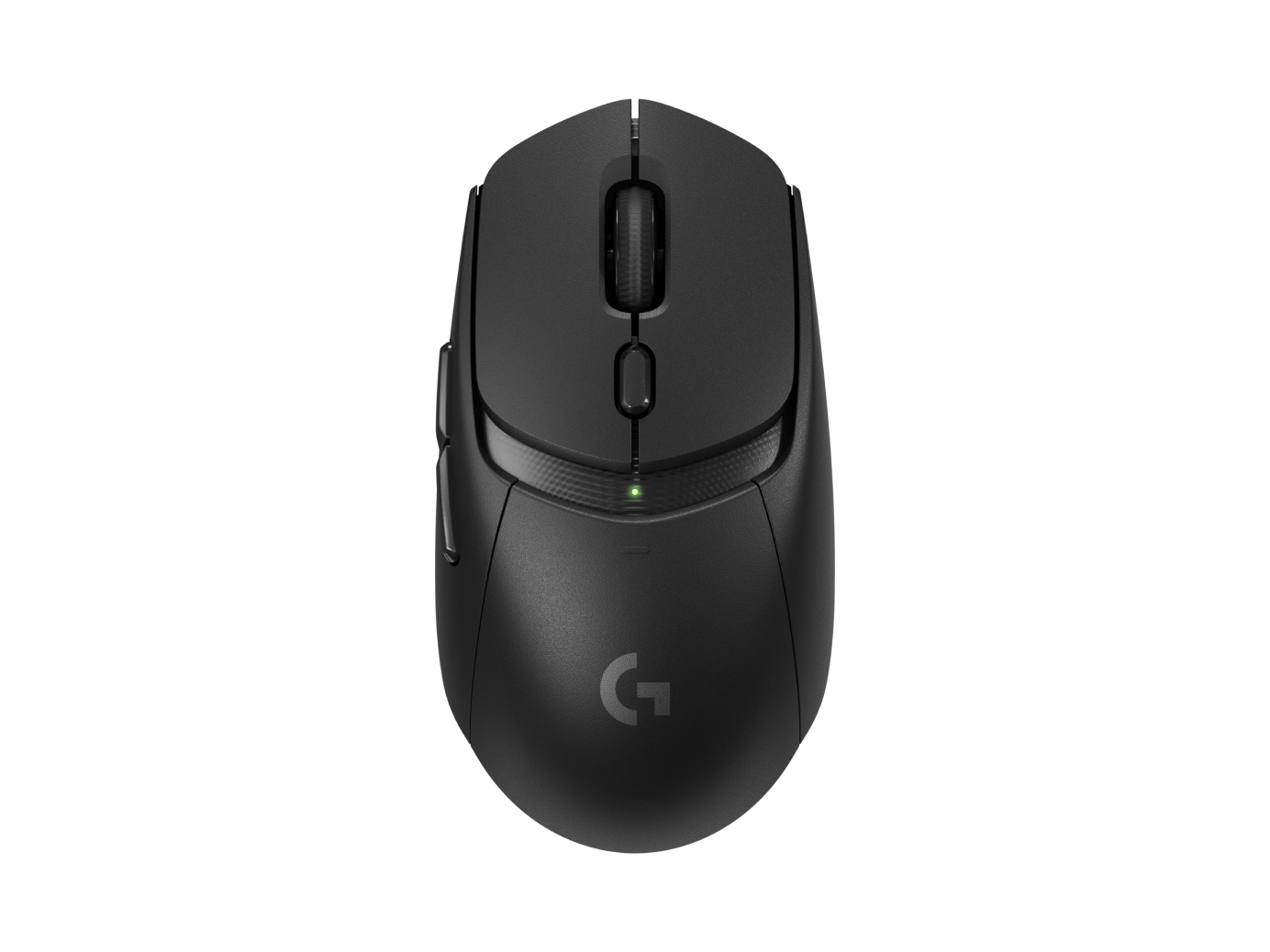 Wireless value
910-007197 · ASIN B0C84ZD7L6
Logitech G309 LIGHTSPEED — Black
The G309 suits someone who prefers replacing an AA battery to charging a mouse. LIGHTSPEED and Bluetooth give you two connection options. Include the battery when comparing weight with rechargeable models.
Check before buyingThe listed 86 g includes the AA battery; compare that feel with rechargeable rivals.
Confirm price, stock, seller and terms on Amazon.ca.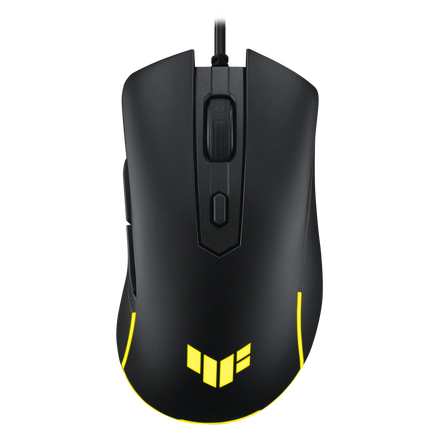 Wired value
90MP0320-BMAA00 · ASIN B0C1T2HL7L
ASUS TUF Gaming M3 Gen II — Black
Consider the 59 g M3 Gen II when you want a light wired mouse with six programmable buttons. Compare its current Canadian price with the DeathAdder V3 before calling it a bargain. If the prices are close, shape and button reach should decide; the M3 is not automatically the better buy.
Check before buyingIt is wired and tops out at 8,000 DPI; neither point is a problem if shape and use fit.
Confirm price, stock, seller and terms on Amazon.ca.910-007328 · ASIN B0DB5JJTC9
Logitech G PRO X SUPERLIGHT 2 DEX — Black
Look at the roughly 60 g DEX if you want a light wireless mouse but prefer a right-handed shape to the symmetrical Viper. Its simple button layout suits players who keep most actions on the keyboard.
Check before buyingFive buttons keep it focused; buyers needing macros should look elsewhere.
Confirm price, stock, seller and terms on Amazon.ca.910-006365 · ASIN B08V1JWV82
Logitech G705 — White Mist
Its compact contoured shell is the catalogue’s clearest starting point for smaller hands.
Check before buyingBattery life with lighting is shorter than several AA-powered alternatives.
Confirm price, stock, seller and terms on Amazon.ca.RZ01-04000100-R3U1 · ASIN B09C13PZX7
Razer Basilisk V3 — Black
Eleven programmable buttons and a flexible scroll wheel favour mixed desktop work and gaming.
Check before buyingIts roughly 101 g wired design prioritizes controls over low mass.
Confirm price, stock, seller and terms on Amazon.ca.RZ01-04640100-R3U1 · ASIN B0B6XTDJS1
Razer DeathAdder V3 — Black
Choose this 59 g wired model if you like the DeathAdder’s right-handed shape and do not need wireless. You avoid a charging routine, but need enough cable slack to make wide movements without pulling against it.
Check before buyingThe right-handed slope is a fit decision, not a universal advantage.
Confirm price, stock, seller and terms on Amazon.ca.EXACT ALTERNATIVES
When the first pick does not fit
For a slightly older ergonomic FPS shell, compare DeathAdder V3 Pro. For MMO controls with less mass than the Naga, consider Aerox 9 Wireless. For an AA-powered all-round wireless shell, Viper V3 HyperSpeed is another path.
Filter all 25 catalogue mice →BUYING CHECKLIST
Six checks before ordering
- The shape matches my grip and hand size.
- I can reach side buttons without twisting my hand.
- The weight suits my sensitivity and mouse pad.
- The MPN, colour and ASIN match the model shown.
- The receiver, cable and charging method fit my routine.
- I confirm today’s price, stock, seller and return policy.
The best mouse is the one you stop noticing
Shortlist two or three shapes that match your grip, then compare weight, controls, connection and exact price. Do not buy from the biggest sensor number alone.